
Tachiyomi for iOS: Is It Available? Best Alternatives for iPhone & iPad (2026 Guide)
You just got an iPhone. Or maybe you have had one for a while. Either way, you loved Tachiyomi on Android — the extensions, the clean reader, the free manga from hundreds of sources — and now you want that same experience on iOS. So you searched “Tachiyomi for iOS” and landed here.
Here is the straight truth before you waste any time: there is no official Tachiyomi for iOS app. It was never built. And most of the guides you will find online are pushing unsafe methods that may harm your device or steal your data.
But you are not stuck. This complete Tachiyomi for iOS guide gives you the real picture — what actually works, what to avoid, and exactly how to get the best manga app for iOS that feels just as powerful as Tachiyomi on Android. Whether you are searching for a Tachiyomi app for iOS, a close alternative, or simply the best way to read manga on iPhone — this guide has your answer.
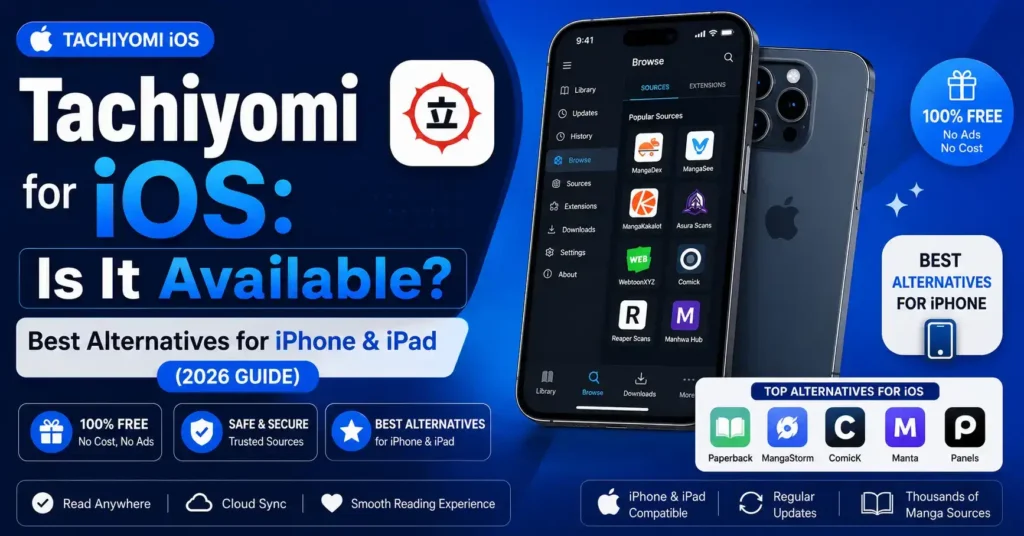
Is Tachiyomi Available for iOS?
Short answer: no. Long answer: it was never even close to happening.
Tachiyomi was built exclusively for Android. The project was also officially discontinued in January 2024 after a cease and desist letter from Kakao Entertainment — so even Android users stopped getting updates. An iOS port was briefly being explored by the dev community before that, but it was dropped entirely.
There are many websites claiming to offer a “Tachiyomi for iOS download” or a “Tachiyomi APK for iOS” — but none of these are real. There is no IPA file, no App Store listing, and no official sideloadable version of Tachiyomi for iOS. These sites are either misleading you or pointing you toward something unsafe.
The good news? The iOS manga reading ecosystem has grown a lot since Tachiyomi disappeared. There are real apps — built specifically for iPhone and iPad — that match or exceed the Tachiyomi experience. Keep reading.
Why Is There No Official Tachiyomi for iOS?
This is not Apple being difficult for no reason. There are two real structural problems that made Tachiyomi for iOS nearly impossible — and understanding them helps you understand why the alternatives work differently.
Apple’s closed ecosystem. iOS does not allow apps to be installed outside the App Store without a developer certificate or sideloading tools. Tachiyomi’s entire model relies on third-party extensions that pull content from external sources — something Apple’s App Store guidelines strictly do not allow. Android’s open system makes this easy; iOS’s closed system blocks it at the core.
The project was shut down. In January 2024, the Tachiyomi development team received a cease and desist from Kakao Entertainment. Development stopped entirely. The brief work being done on an iOS port was abandoned the same day. There is no team working on a Tachiyomi iOS version — and there never will be.
So when you search for “Tachiyomi iOS download” or “Tachiyomi app for iPhone,” you are looking for something that does not exist and will not exist. That is not what you want to hear — but it saves you from wasting hours on fake methods.
Avoid These Unsafe “Tachiyomi iOS” Methods
Before we show you what genuinely works, you need to know what to stay away from. Most of the top results for “Tachiyomi for iOS” will lead you to one of these risky methods — and none of them are worth it.
Safari injection / web installers. Sites like apara.com ask you to “inject” apps through Safari. These are unofficial, unsigned apps with no real developer behind them. They work temporarily at best — Apple frequently revokes the certificates, the app stops opening without warning, and some have been linked to ad fraud and data collection running silently in the background.
Fake IPA files. Some sites offer “Tachiyomi IPA” downloads. There is no real Tachiyomi IPA — no iOS version of Tachiyomi was ever built by the real team. Anything calling itself a Tachiyomi IPA is either a reskin of another app, a honeypot, or something far worse on your device.
Certificate-based sideloading from unknown sources. Installing apps using random developer certificates gives that certificate owner persistent access to interact with your iPhone. That is not a risk worth taking for a manga reader.
The safer and smarter path is to use apps that were actually designed and built for iOS from the ground up. They are free, they work better, and they do not disappear overnight.
Best Tachiyomi Alternatives for iOS in 2026
Okay — here is the part you actually came for. These are real, working manga reader apps for iPhone and iPad. Each one is free and open-source, just like Tachiyomi was. If you want to read manga on iPhone the way Tachiyomi let you read on Android, one of these is exactly the manga app like Tachiyomi for iOS you have been looking for. And some of them have features Tachiyomi never had on Android.
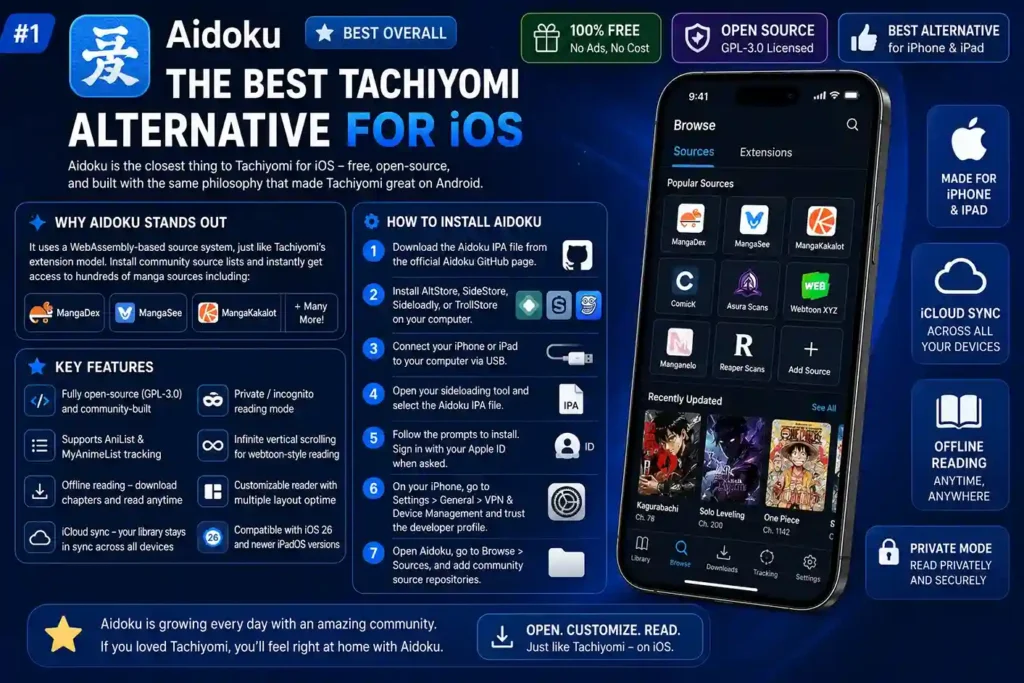
1. Aidoku — Best Overall Tachiyomi Alternative for iOS
If you miss Tachiyomi, Aidoku is the app that will make you feel at home. It is the closest thing to Tachiyomi for iOS right now — and by most community votes, the best manga app for iOS in 2026 — free, open-source, built specifically for iPhone and iPad, and designed with the exact same philosophy that made Tachiyomi great on Android.
What makes Aidoku stand out:
It uses a WebAssembly-based source system, which means community-created extensions handle content fetching — just like Tachiyomi’s extension model. You install source lists from community repositories and instantly get access to hundreds of manga sources including MangaDex, MangaSee, MangaKakalot, and many more.
Key features of Aidoku:
- Fully open-source (GPL-3.0 licensed) and community-built
- Supports AniList and MyAnimeList tracking
- Offline reading — download chapters to read without internet
- iCloud sync — your library stays in sync across all your Apple devices
- Private/incognito reading mode (rare among iOS manga apps)
- Infinite vertical scrolling for webtoon-style reading
- Customizable reader with multiple layout options
- Compatible with iOS 26 and newer iPadOS versions
- Install via AltStore, SideStore, Sideloadly, or TrollStore — no jailbreak needed
How to install Aidoku:
- Download the Aidoku IPA file from the official Aidoku GitHub page.
- Install AltStore or Sideloadly on your computer.
- Connect your iPhone or iPad to your computer via USB.
- Open your sideloading tool and select the Aidoku IPA file.
- Follow the prompts to install. Sign in with your Apple ID when asked.
- On your iPhone, go to Settings > General > VPN & Device Management and trust the developer profile.
- Open Aidoku, go to Browse > Sources, and add community source repositories.
Aidoku is genuinely the best Tachiyomi for iOS replacement if you want full features, a familiar extension-based system, and a reading experience that feels like home.
2. Tachimanga — Best App Store Option (No Sideloading)
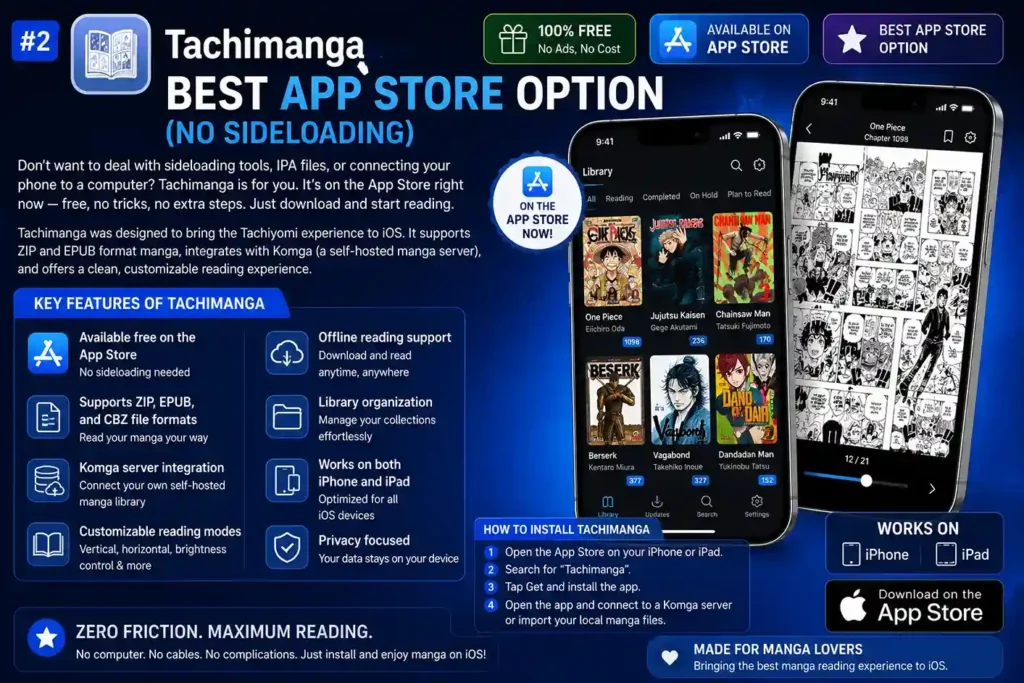
Do not want to deal with sideloading tools, IPA files, or connecting your phone to a computer? Tachimanga is for you. It is on the App Store right now — free, no tricks, no extra steps. Just download and start reading.
Tachimanga was designed to bring the Tachiyomi experience to iOS. It supports ZIP and EPUB format manga, integrates with Komga (a self-hosted manga server), and offers a clean, customizable reading experience.
Key features of Tachimanga:
- Available free on the iOS App Store — no sideloading needed
- Supports ZIP, EPUB, and CBZ file formats
- Komga server integration — connect your own self-hosted manga library
- Customizable reading modes: vertical, horizontal, brightness control
- Offline reading support
- Library organization and manga collection management
- Works on both iPhone and iPad
How to install Tachimanga: Simply search “Tachimanga” on the iOS App Store or visit the direct App Store link. Download and install it like any other app. Once installed, you can either connect it to a Komga server or import your local manga files.
If you want zero friction and no sideloading, Tachimanga is the fastest Tachiyomi for iOS option you can get today — one tap on the App Store and you are reading.
3. Paperback — Best for Source Variety
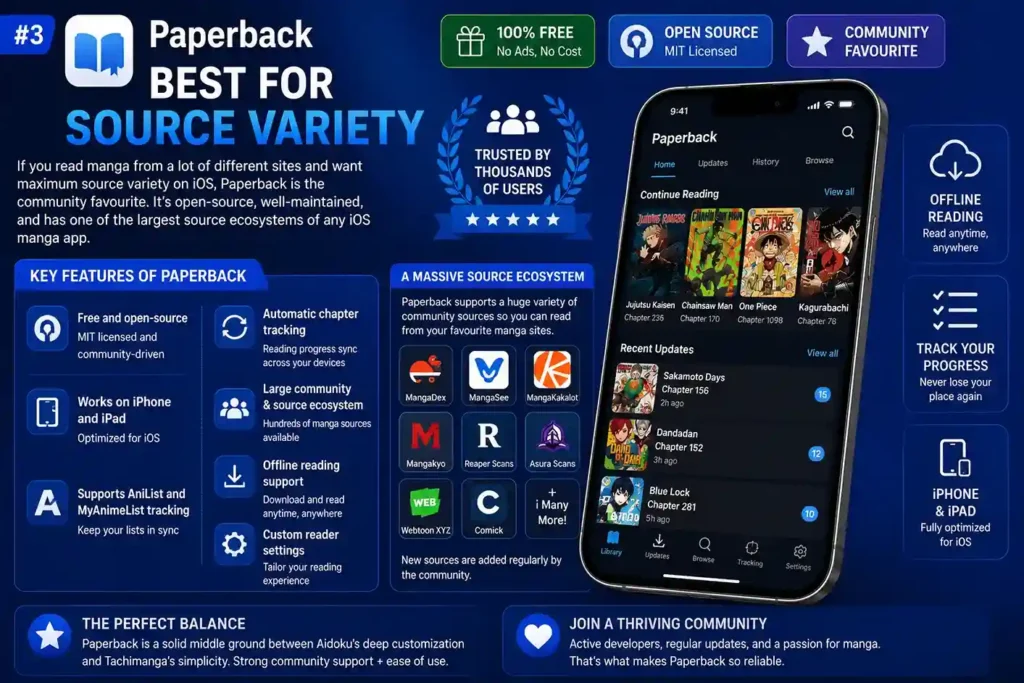
If you read manga from a lot of different sites and want maximum source variety on iOS, Paperback has been the community favourite for years. It is open-source, well-maintained, and has one of the largest source ecosystems of any iOS manga app.
Key features of Paperback:
- Free and open-source (MIT licensed)
- Works on iPhone and iPad
- Supports AniList and MyAnimeList tracking
- Automatic chapter tracking and reading progress sync
- Large community with many available sources
- Offline reading support
- Custom reader settings
Paperback is a solid middle ground between Aidoku’s deep customization and Tachimanga’s simplicity. It is especially popular among users who want strong community source support without a complicated setup.
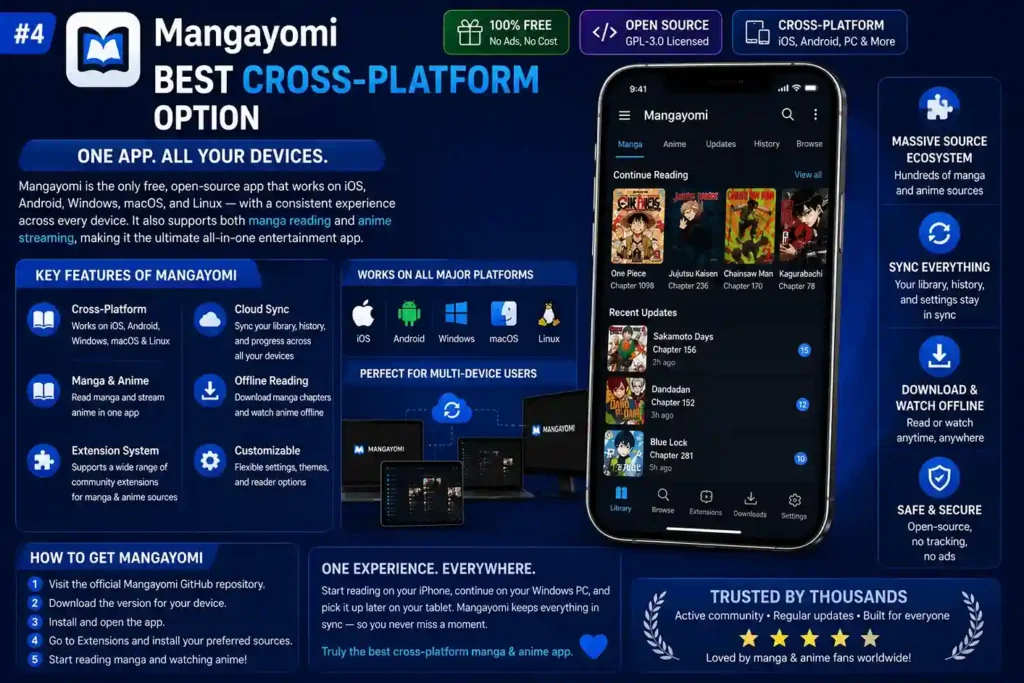
4. Mangayomi — Best Cross-Platform Option
Do you switch between an iPhone, a Windows PC, and maybe a tablet? Mangayomi is the only free open-source app on this list that works on all of them — iOS, Android, Windows, macOS, and Linux — with a consistent experience across every device. It also covers both manga reading and anime streaming in one app, which makes it genuinely hard to beat for multi-device users.
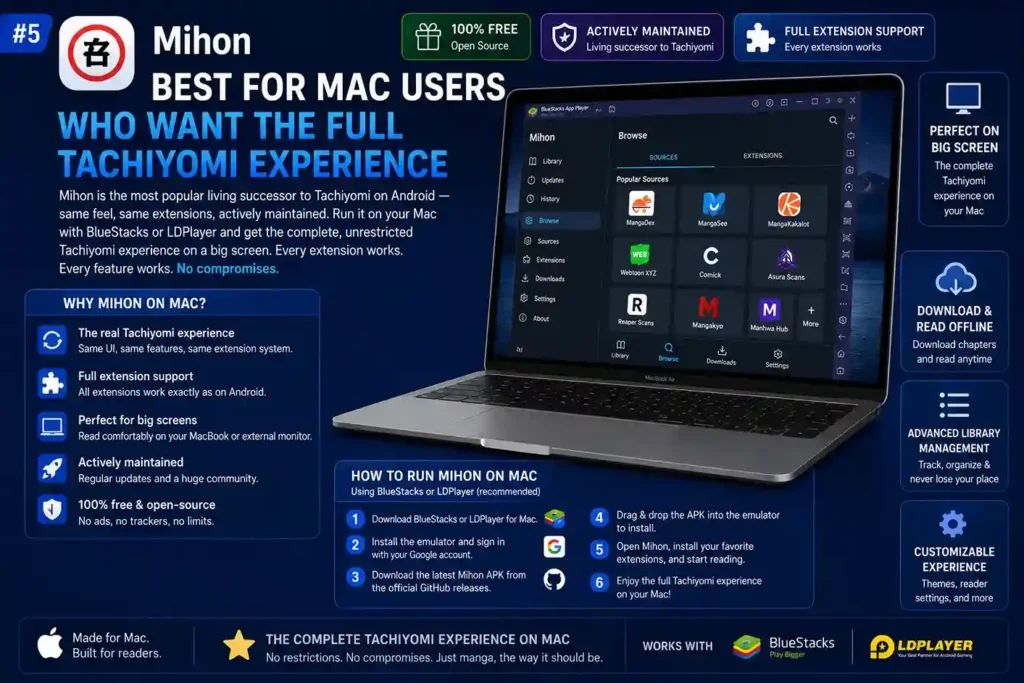
5. Mihon — Best for Mac Users Who Want the Full Tachiyomi Experience
Have a MacBook? This one is for you. Mihon is the most popular living successor to Tachiyomi on Android — same feel, same extensions, actively maintained. It is Android-only as an app, but you can run it inside BlueStacks or LDPlayer on your Mac and get the complete, unrestricted Tachiyomi experience on a big screen. Every extension works. Every feature works. No compromises.
Tachiyomi iOS Alternatives Comparison
| App | Platform | App Store | Sideload Required | Extensions | Offline Reading | Tracking Support |
|---|---|---|---|---|---|---|
| Aidoku | iPhone, iPad | ❌ | ✅ AltStore / Sideloadly | ✅ Yes | ✅ Yes | ✅ AniList, MAL |
| Tachimanga | iPhone, iPad | ✅ | ❌ | ⚠️ Komga Only | ✅ Yes | ❌ Limited |
| Paperback | iPhone, iPad | ✅ | ❌ | ✅ Yes | ✅ Yes | ✅ AniList, MAL |
| Mangayomi | iOS, Android, Windows, Mac | ❌ | ✅ | ✅ Yes | ✅ Yes | ✅ Yes |
| Mihon (Mac Emulator) | Mac via Emulator | ❌ | Emulator Needed | ✅ Full | ✅ Yes | ✅ Full |
How to Set Up Komga with Tachimanga
You have hundreds of manga saved on your PC and want to read them on your iPhone — without uploading everything to some random cloud service. This is exactly what Komga is built for. It turns your own computer into a private manga server, and Tachimanga connects to it from your iPhone so you can read your collection anywhere on your local network.
Step 1: Download and install Komga from the official Komga website on your computer.
Step 2: Add your manga files (ZIP, EPUB, or CBZ format) to Komga’s library folders.
Step 3: Komga will scan and organize your library automatically.
Step 4: Open Tachimanga on your iPhone and go to the server settings.
Step 5: Enter your Komga server’s local IP address and login credentials.
Step 6: Your entire manga library is now accessible on your iPhone through Tachimanga.
This is a great option if you own a large manga collection and want to read it anywhere without relying on external sources.
How to Transfer Your Tachiyomi Backup to iOS
Switching from Android to iPhone and worried about losing 500 tracked manga titles and years of reading progress? Do not panic. You can bring your entire library over to iOS using a tracking service as the bridge. Here is the cleanest way to do it:
Using AniList or MyAnimeList:
- On Android (Tachiyomi or Mihon): Go to Settings > Tracking and make sure your library is synced to AniList or MyAnimeList.
- Sync all your titles so reading progress is saved to the tracking service.
- On iOS (Aidoku or Paperback): Log in to the same AniList or MyAnimeList account.
- Your library and reading progress will sync automatically.
This is the most reliable way to migrate from Tachiyomi on Android to a manga reader for iOS without losing your progress. Many users switching from Android to iPhone do not realise this Tachiyomi for iOS migration path even exists — now you do.
Reading Manga on iPhone vs Android: Key Differences
| Feature | Android (Tachiyomi/Mihon) | iOS (Aidoku/Tachimanga) |
|---|---|---|
| Official Tachiyomi | ✅ Available (discontinued) | ❌ Never released |
| Best alternative | Mihon | Aidoku |
| App Store install | ✅ Direct APK | ⚠️ Tachimanga only |
| Sideloading | Easy (APK) | Needs AltStore/Sideloadly |
| Extension variety | Very large | Growing rapidly |
| Offline reading | ✅ Full | ✅ Full |
| Tracking (MAL/AniList) | ✅ Full | ✅ Full (Aidoku) |
| iCloud sync | ❌ N/A | ✅ Aidoku supports it |
Is It Safe to Sideload Manga Apps on iPhone?
“Sideloading” sounds technical and maybe a little sketchy. It is not. Millions of iPhone users sideload apps every day using trusted tools — and it is completely safe when done right. Here is what you need to know:
Safe sideloading tools:
- AltStore — The most trusted free sideloading tool for iOS. Open-source and widely used.
- SideStore — Works without a computer after initial setup. Popular choice.
- Sideloadly — Easy-to-use desktop tool that works on both Windows and Mac.
- TrollStore — Permanent installation on supported iOS versions, no 7-day re-signing needed.
What to avoid:
- Web-based app installers (Safari injection methods)
- Unsigned IPA files from unknown sites
- Anything asking for your Apple ID on a third-party website
If you download Aidoku’s IPA from the official GitHub and install it using AltStore or Sideloadly, the process is completely safe and widely used by thousands of manga readers.
Final Thoughts
You searched for Tachiyomi for iOS because you wanted great manga reading on your iPhone. That is a completely fair thing to want. The frustrating part is that most guides either lie to you about fake installs or leave you with no real options.
Here is the honest ending: Tachiyomi for iOS does not exist and never will. But Aidoku does — and it is genuinely excellent. Open-source, extension-based, offline reading, iCloud sync, tracker support, no jailbreak. Install it with AltStore or Sideloadly and you will forget you ever needed Tachiyomi. If that sounds like too much setup, Tachimanga is one App Store tap away and gives you a solid Tachiyomi for iOS alternative with Komga server support.
The iOS manga reading scene has matured a lot. Whether you call it a Tachiyomi for iOS app or just a great iPhone manga reader — you are not missing out anymore. You just need to know where to look.